# How to apply a discount code to Subscription Products?
NOTE: There are 2 types of discount
* Discount Code: Fully supported by Shopify. You can create and manage discount code directly on Shopify Portal
* Automatic Discount: Have not supported yet
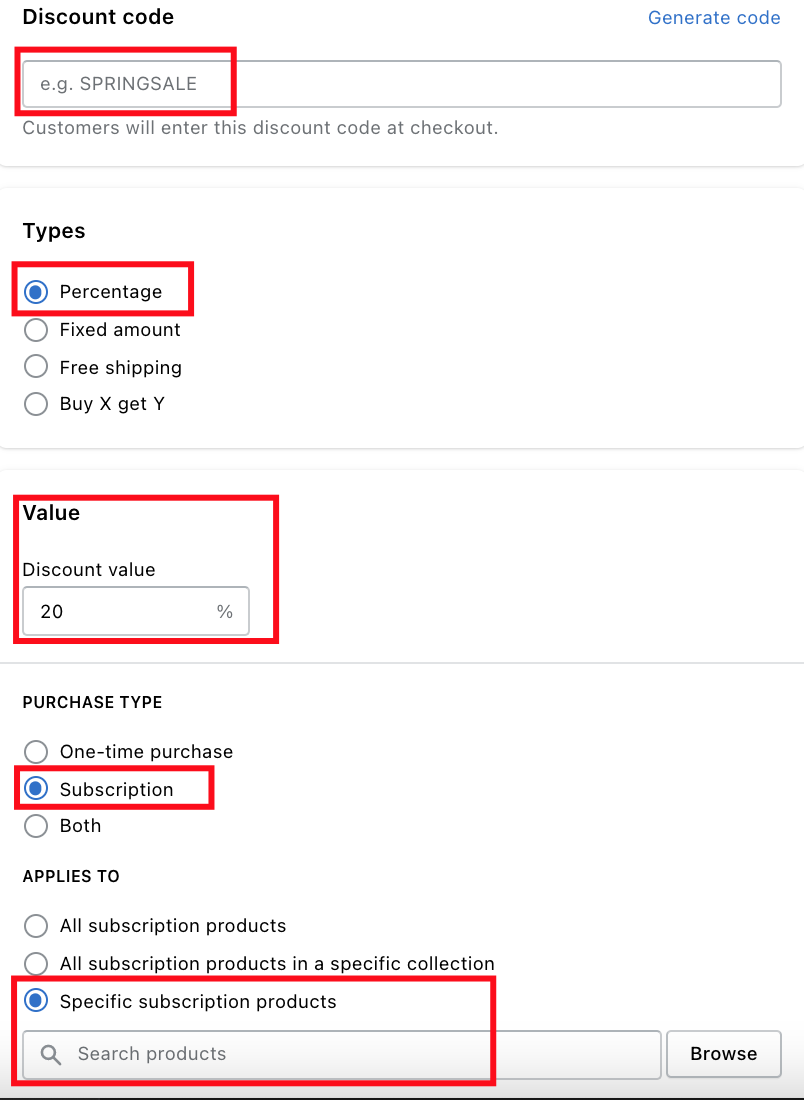
Let me guide you through a simple example to set up "a discount percentage" for a specific product
### Step 1:
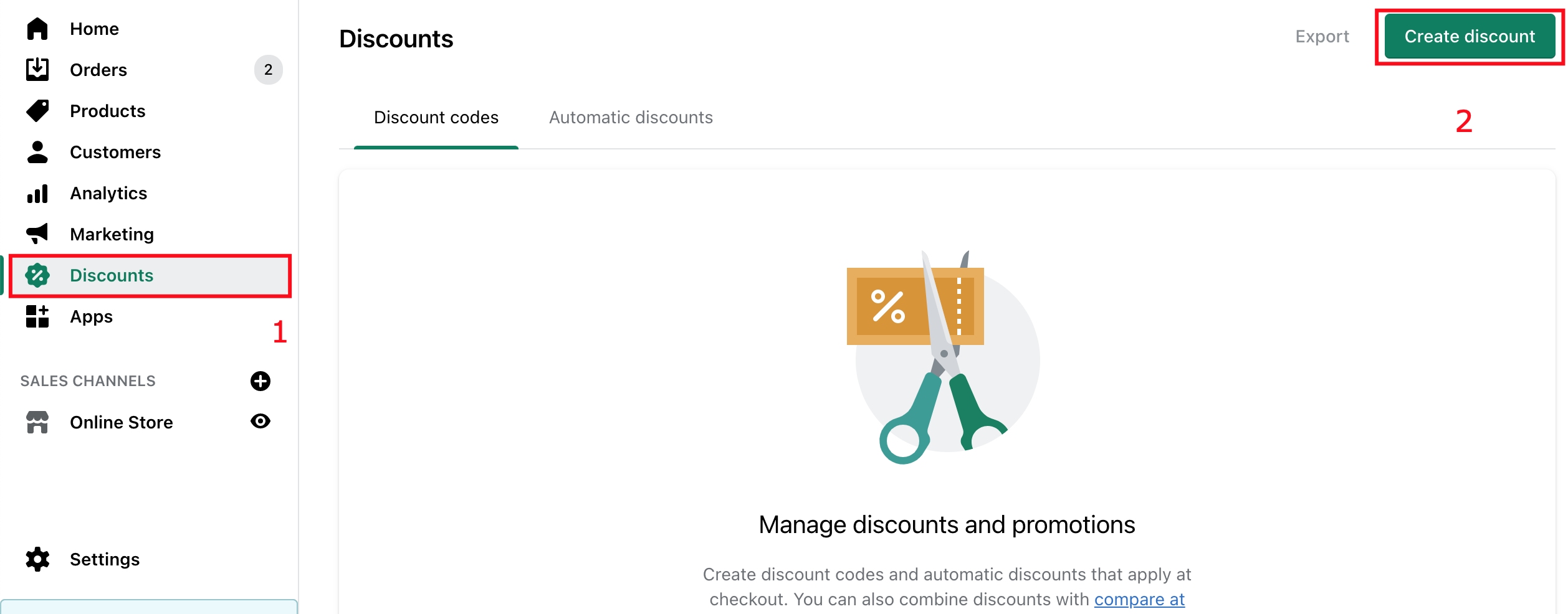
Come to **Shopify Admin -> Discounts -> Create Discount**
### Step 2:
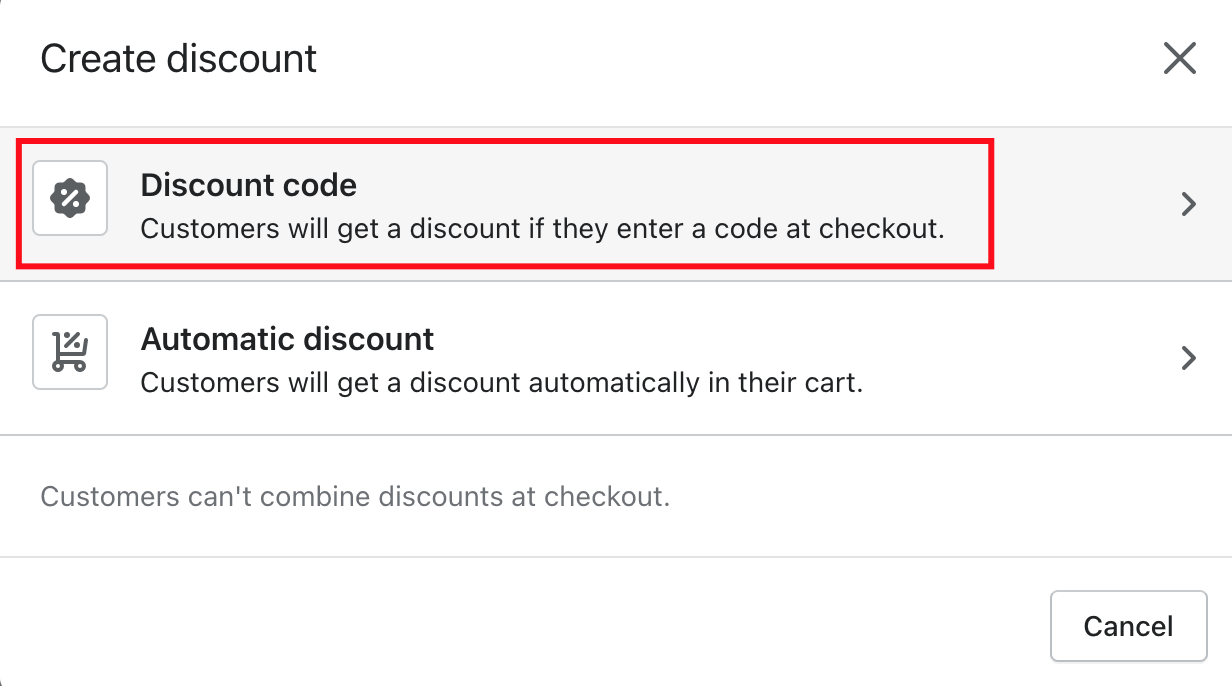
Select **Discount Code**
### Step 3:
Setting up your discount code rule
### Step 4:
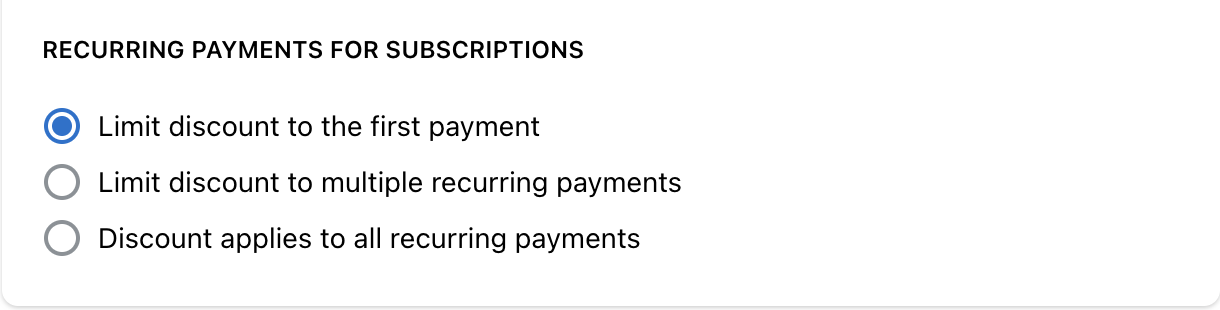
With Subscription Discount Code. You can choose to apply it to
* Just first payment of your customer subscription
* Multiple recurring payments. If you select this option, there will be another text box for you to enter the number of payments accepted discount code
* All recurring payments
### Step 5:
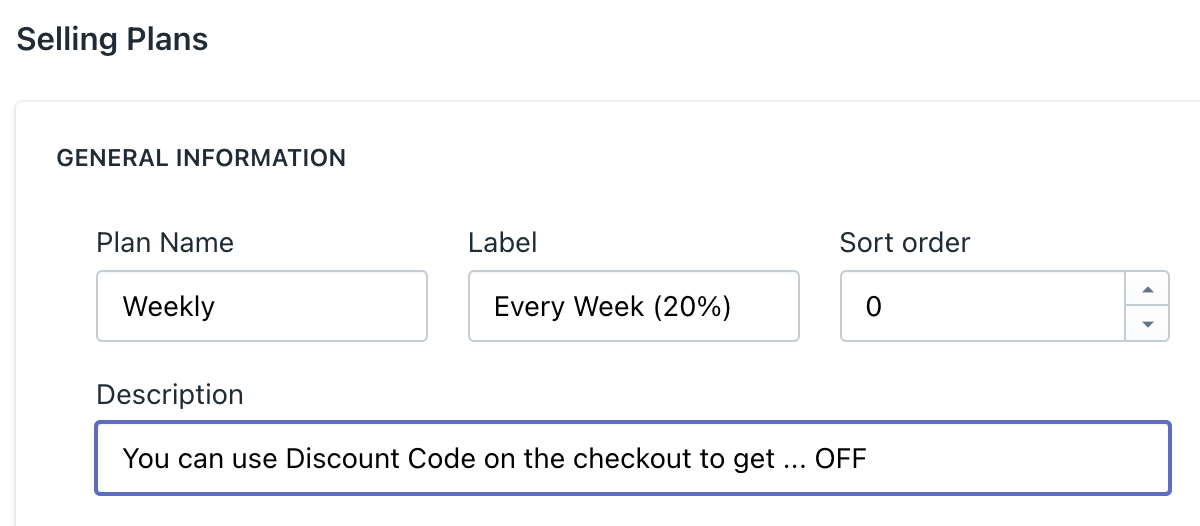
Go to our app, navigate to the selling plan section. You can edit the description as you want to notify your customers about the discount
### Step 6:
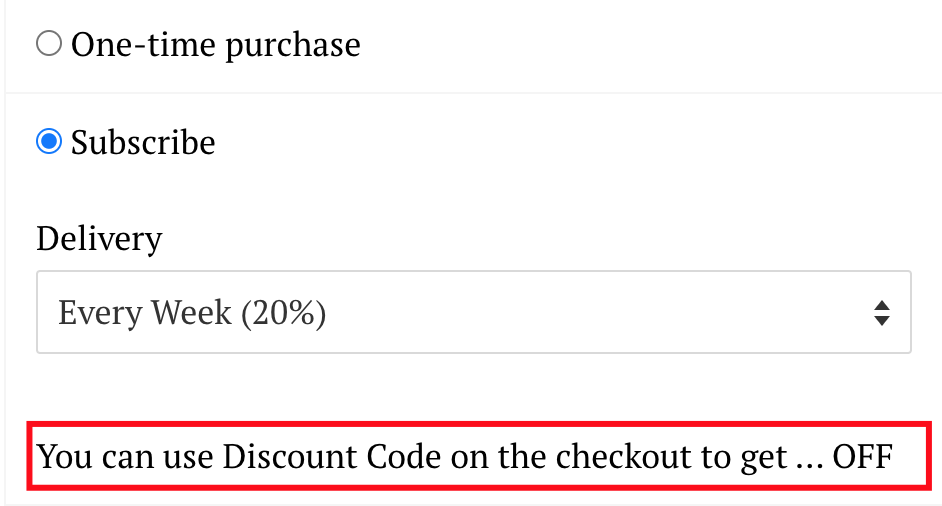
Recheck on the frontend product page.
If you need any support, drop us a line on the Chat section or email via [**support-sbc@bsscommerce.com**](mailto:support-sbc@bsscommerce.com)**.**
---
# Agent Instructions: Querying This Documentation
If you need additional information that is not directly available in this page, you can query the documentation dynamically by asking a question.
Perform an HTTP GET request on the current page URL with the `ask` query parameter:
```
GET https://docs.easto.io/admin/how-to-apply-a-discount-code-to-subscription-products.md?ask=
```
The question should be specific, self-contained, and written in natural language.
The response will contain a direct answer to the question and relevant excerpts and sources from the documentation.
Use this mechanism when the answer is not explicitly present in the current page, you need clarification or additional context, or you want to retrieve related documentation sections.