> For the complete documentation index, see [llms.txt](https://docs.easto.io/llms.txt). Markdown versions of documentation pages are available by appending `.md` to page URLs; this page is available as [Markdown](https://docs.easto.io/admin/how-to-assign-products-to-the-subscription-plan.md).
# How to assign Products to the subscription plan?
You can assign a product to any Subscription Plan right from our app-admin portal.
There are 2 ways to assign products
### I. Assign through Subscriptions & Recurring App UI
**Step 1:**
Create your first Subscription Plan. [Check this article](https://wiki.bsscommerce.com/docs/shopify-subscriptions-recurring-pay/app-features-how-to/how-to-create-a-subscription-plan/)
**Step 2:**
Enter your keyword to search, a popup will appear and let you multiple select
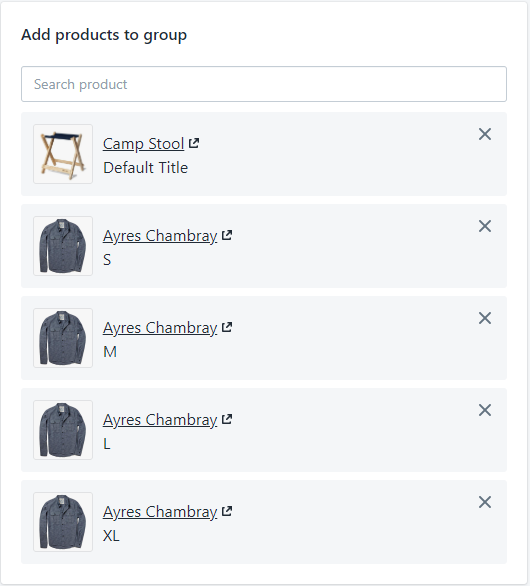
**Step 3:**
Select your products and click "Select"
**Step 4:**
Save your Subscription Plans. The products will get successfully added to the particular plan. Recheck on the product page, for example:
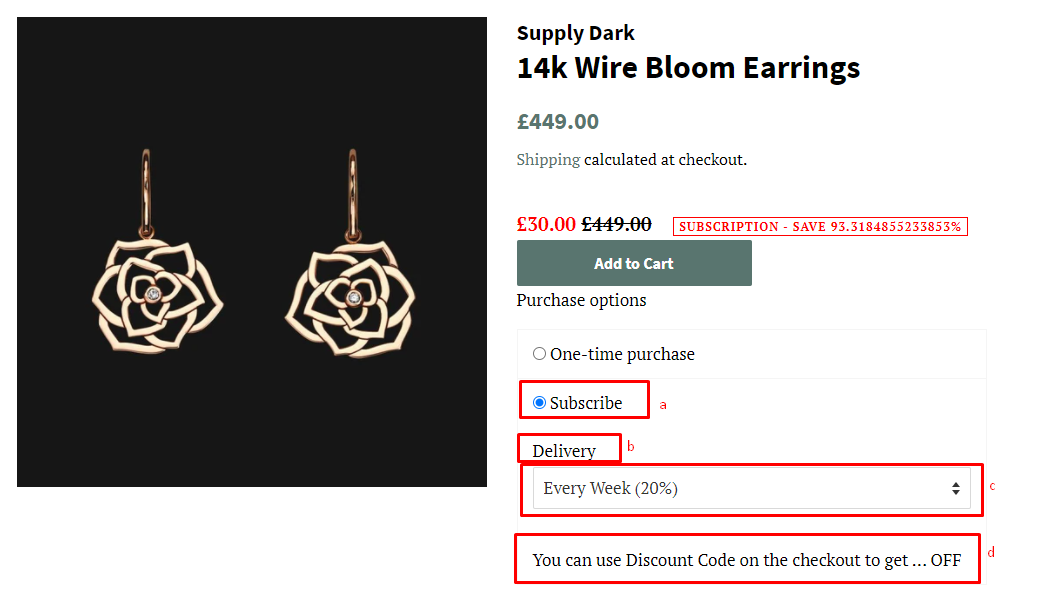
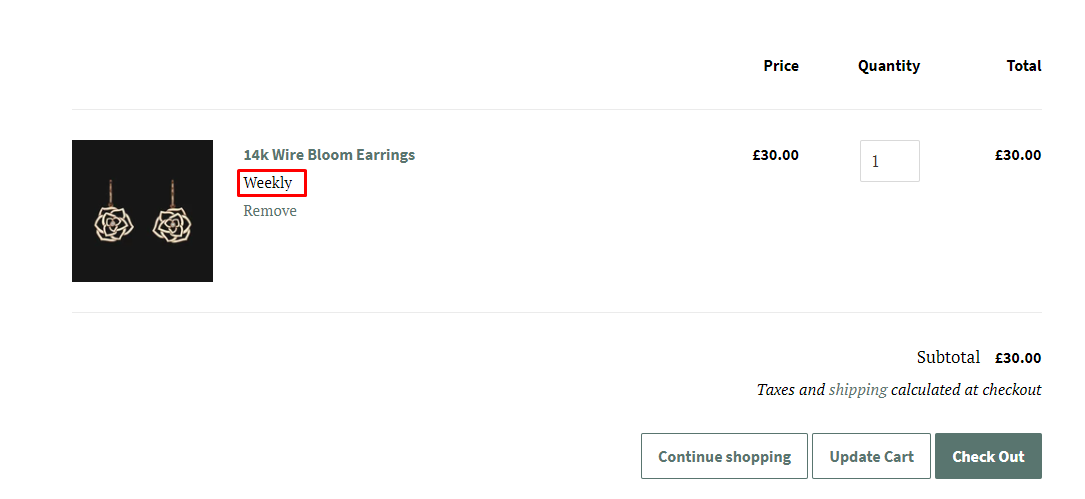
a) Public name
b) Plan selector title
c) Plan (Label Name)
d) Plan (Description)
f) Plan (Plan Name)
### II. Assign through Shopify Product management
**Step 1: Go to your product you want to add a subscription plan**
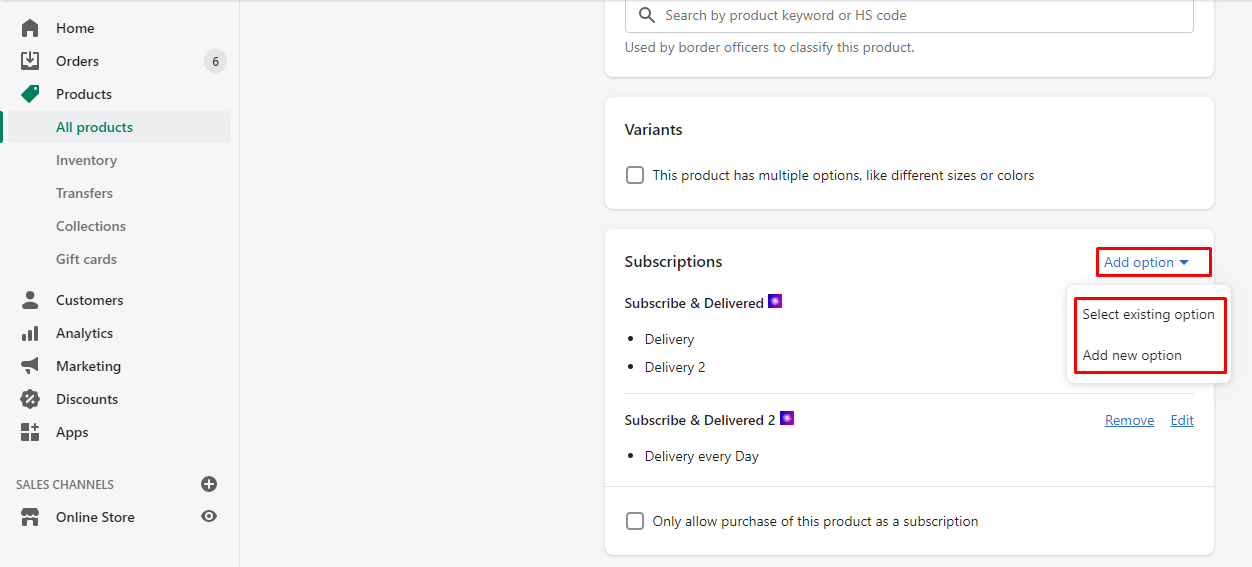
**Step 2: Select "Add Option" to add a subscription plan**
* Add your existing option or create a new one
* In case you need your customers only purchase as a subscription, just tick on the checkbox
* Remove or edit your plan from the extension
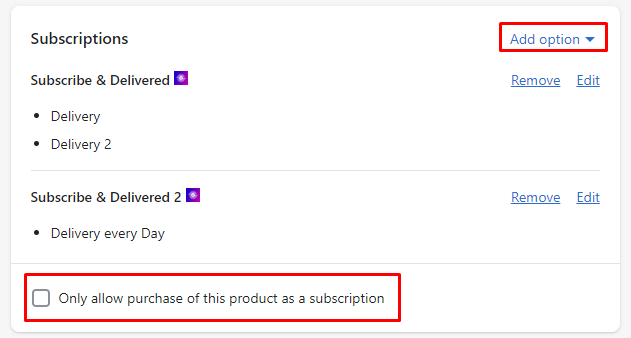
**Step 3: Enter simple information to create a subscription plan**
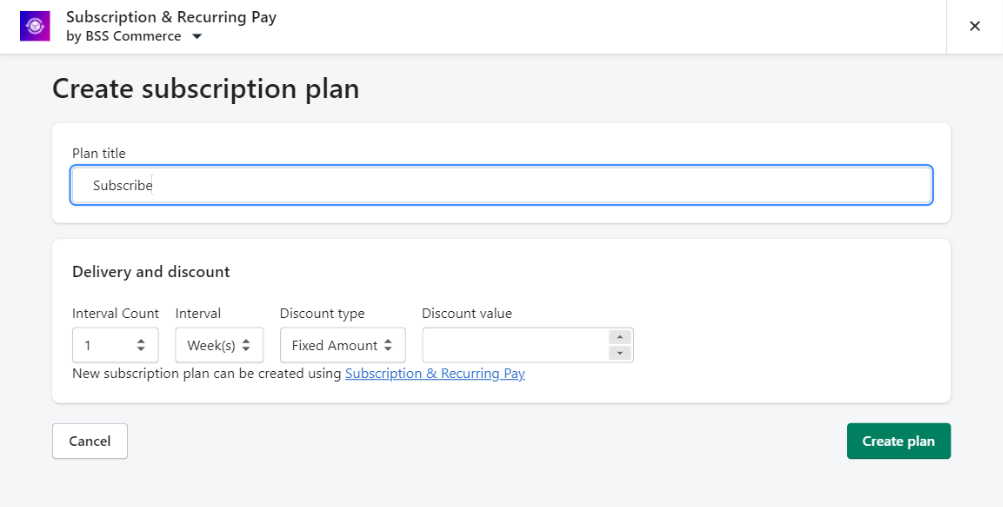
**Step 4: Click "Create Plan" to complete and recheck on the storefront**
If you have further questions, feel free to contact us at [**support-sbc@bsscommerce.com**](mailto:support-sbc@bsscommerce.com)**.**