> For the complete documentation index, see [llms.txt](https://docs.easto.io/llms.txt). Markdown versions of documentation pages are available by appending `.md` to page URLs; this page is available as [Markdown](https://docs.easto.io/features/subscription/how-to-create-selling-plans.md).
# How to create selling plans?
Learn how to create selling plans that define payment type, billing, and frequency for subscriptions within a plan group.
### 1. Introduction:
**Selling Plans** define how your subscriptions work within a **Subscription Plan Group**. They determine key details such as payment type, billing cycle, and delivery frequency, giving you full control over how customers subscribe and pay.
Each subscription plan group can contain multiple selling plans, which will be displayed as selectable options in a dropdown on your storefront widget. For more flexibility, advanced settings allow you to configure features like automatic expiration and *Try Before You Buy* policies - helping you design subscription offers that fit different customer needs and business strategies.
### 2. How to use:
{% stepper %}
{% step %}
### Edit default selling plan
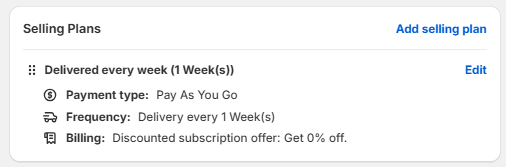
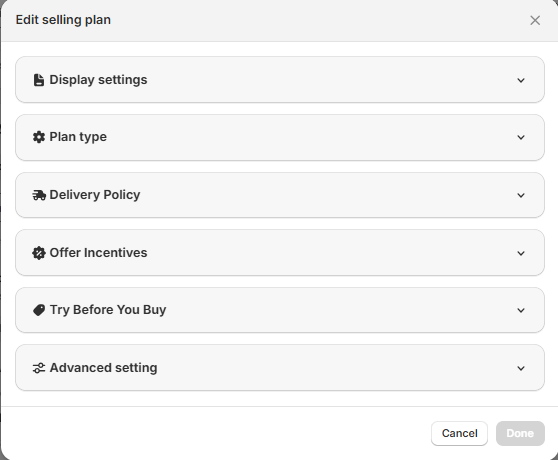
Scroll to the bottom of subscription plan group. Here you can see a default selling plan. Click "Edit" to start. You'll see a list of configurations to freely customize!
{% endstep %}
{% step %}
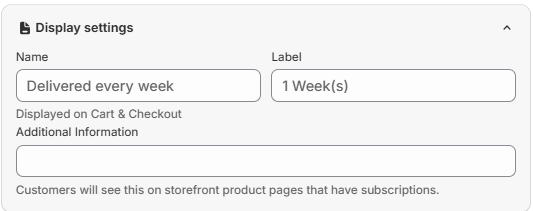
### Change display setting
Fill out the Display settings. These information will appear on major places, so be careful!
> Note:
>
> * Name: This text will be displayed on the Cart & Checkout
> * Label: This text will be displayed on the PDP when choosing the selling plan
> * Additional information: This text will be displayed on the PDP after you choose the selling plan
> {% endstep %}
{% step %}
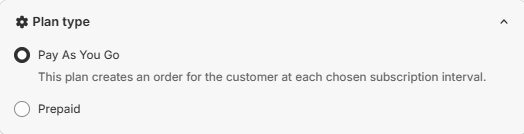
### Choose plan type
Choose the Plan type. You can either choose Pay As You Go or Prepaid. The Pay As You Go plan creates an order for the customer at each chosen subscription interval. The Prepaid plan automatically renews at the end of each prepaid period. For example, a 3-month prepaid plan will renew every 3 months, with the Number of prepaid deliveries up to you to decide!
> Note: You can offer better discount for Prepaid plans to attract customers and enhance retention
> {% endstep %}
{% step %}
### Determine the Delivery Policy
The Delivery Frequency is the number of intervals between deliveries. For example, if you want to deliver every 3 weeks, then the Delivery Frequency is 3, and the Delivery Interval is Week(s).
{% endstep %}
{% step %}
### Create incentive
Offer Incentives for your selling plans to attract customers. We help you create 3 types of discounts: Percentage off, Amount off, and Set a fixed price. You can also change the type and amount of incentive from specific billing cycles to make the plan more interesting!
> Note: You can give first-time subscribers incentive by offering a discount at their first order, then adjust the discount afterwards.
> {% endstep %}
{% step %}
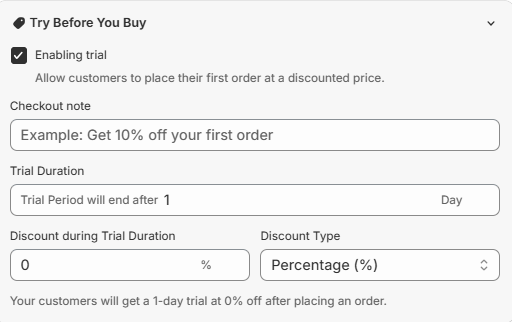
### Enable Try before you buy (optional)
You can enable Try before you buy to give customers a taste of your product before officially become your subscribers! This can help reducing churn and increasing purchase as well!
> Note: Most customers hesitate before subscribing due to having no experience with the product before. Solve that issue with our new "Try before you buy" feature!
> {% endstep %}
{% step %}
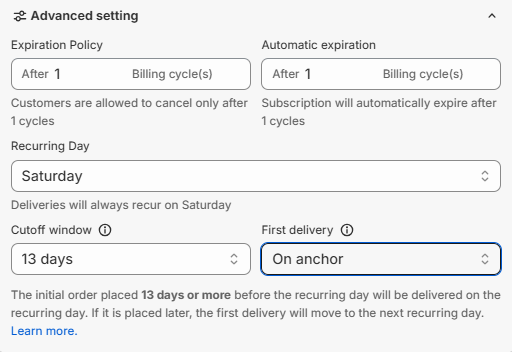
### Configure advanced setting
If you want further customization to your selling plan, turn to the Advanced setting section. Here you can create an exclusive Automatic Expiration as well as Recurring Policy. For more information about Recurring Day, refer to our article [here](https://help.easto.io/en/article/advanced-settings-anchor-day-cutoff-window-first-delivery-12x4apn/).
{% endstep %}
{% endstepper %}
**THAT'S ALL!** If you want to add more selling plans, please click **Create new plan**. These selling plans will all be displayed as dropdown in the widget on your storefront!
*If you need help, feel free to reach out to us via in-app* [***Live chat***](https://go.crisp.chat/chat/embed/?website_id=c4ae10a3-f762-4968-b35a-c931caf62a96)***,*** [***Book a call***](https://calendly.com/easto-support/30min) *or at* [***support@tech-arms.io***](mailto:support@tech-arms.io)***.***
.png?alt=media)
.png?alt=media)