> For the complete documentation index, see [llms.txt](https://docs.easto.io/llms.txt). Markdown versions of documentation pages are available by appending `.md` to page URLs; this page is available as [Markdown](https://docs.easto.io/features/email-notifications/auto-tag.md).
# Auto tag
### 1. Introduction:
The **Auto Tag** feature automatically applies tags to orders and customers based on their subscription activity and payment status. This helps you organize data, trigger workflows, and segment customers without manual effort.
By using Auto Tag, you can easily identify recurring orders, active subscribers, or customers with payment issues, enabling better reporting, automation, and follow-up actions across your store and connected tools.
### 2. How to use:
{% stepper %}
{% step %}
### Go to Auto tag
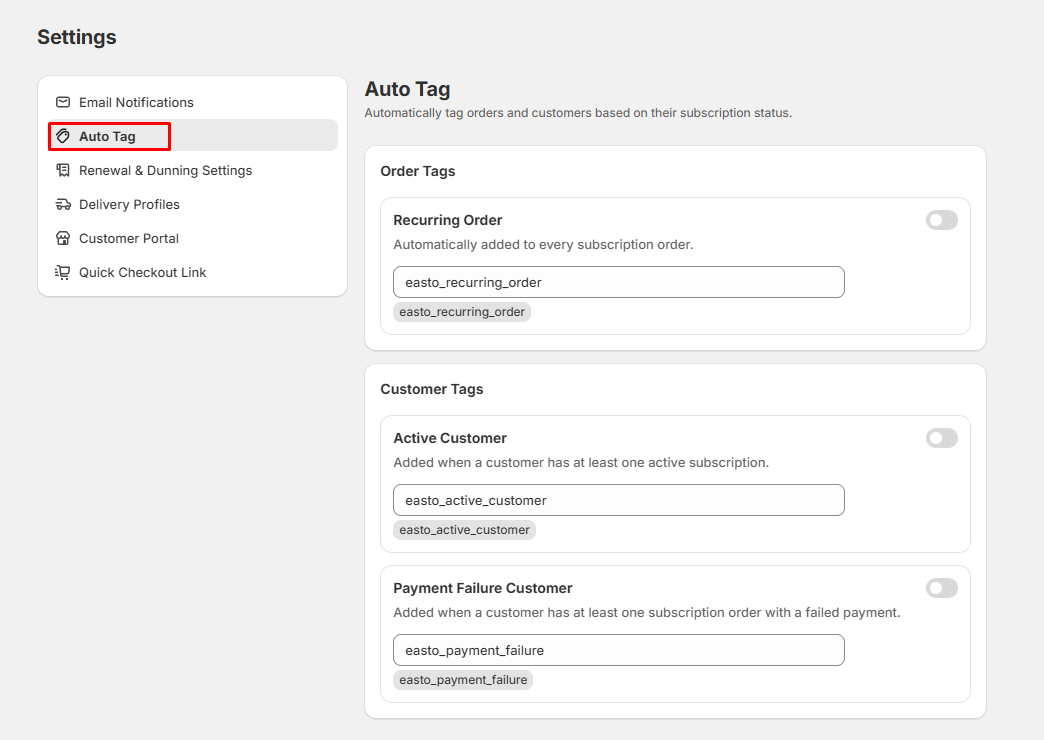
Go to Settings > Auto Tag. Here is where you can find both order and customer tags.
{% endstep %}
{% step %}
### Activate tag
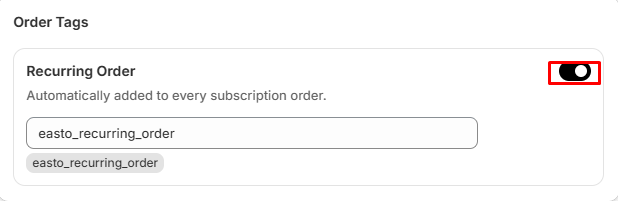
Activate the tag you wish to use by turning on the switch of that tag and click Save
{% endstep %}
{% step %}
### Edit tag
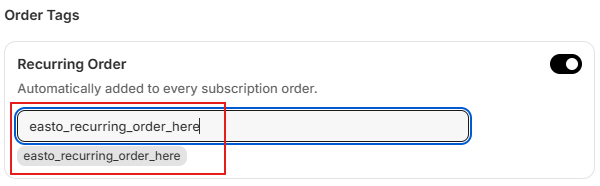
You can also edit the content of the tag while seeing a live preview right underneath too
{% endstep %}
{% endstepper %}
*If you need help, feel free to reach out to us via in-app* [***Live chat***](https://go.crisp.chat/chat/embed/?website_id=c4ae10a3-f762-4968-b35a-c931caf62a96)***,*** [***Book a call***](https://calendly.com/easto-support/30min) *or at* [***support@tech-arms.io***](mailto:support@tech-arms.io)***.***